The Battle of the Java IDEs! ⚔️
When it comes to Java development, one question always pops up: Which IDE should I use—IntelliJ or Eclipse? 🌟 Both are heavyweight contenders in the world of integrated development environments (IDEs). Java developers often find themselves in the middle of a fierce debate. So, which one should you choose for your next project? 🤔
Fear not! In this article, we’ll break down both IDEs in a way that is engaging and easy to understand. We will compare everything from speed and usability to plugins and support. Whether you’re a beginner or seasoned pro, this comparison will guide you. It will help you decide which IDE is best for Java development. 🏆
IntelliJ vs Eclipse: An Overview of Both IDEs
IntelliJ IDEA
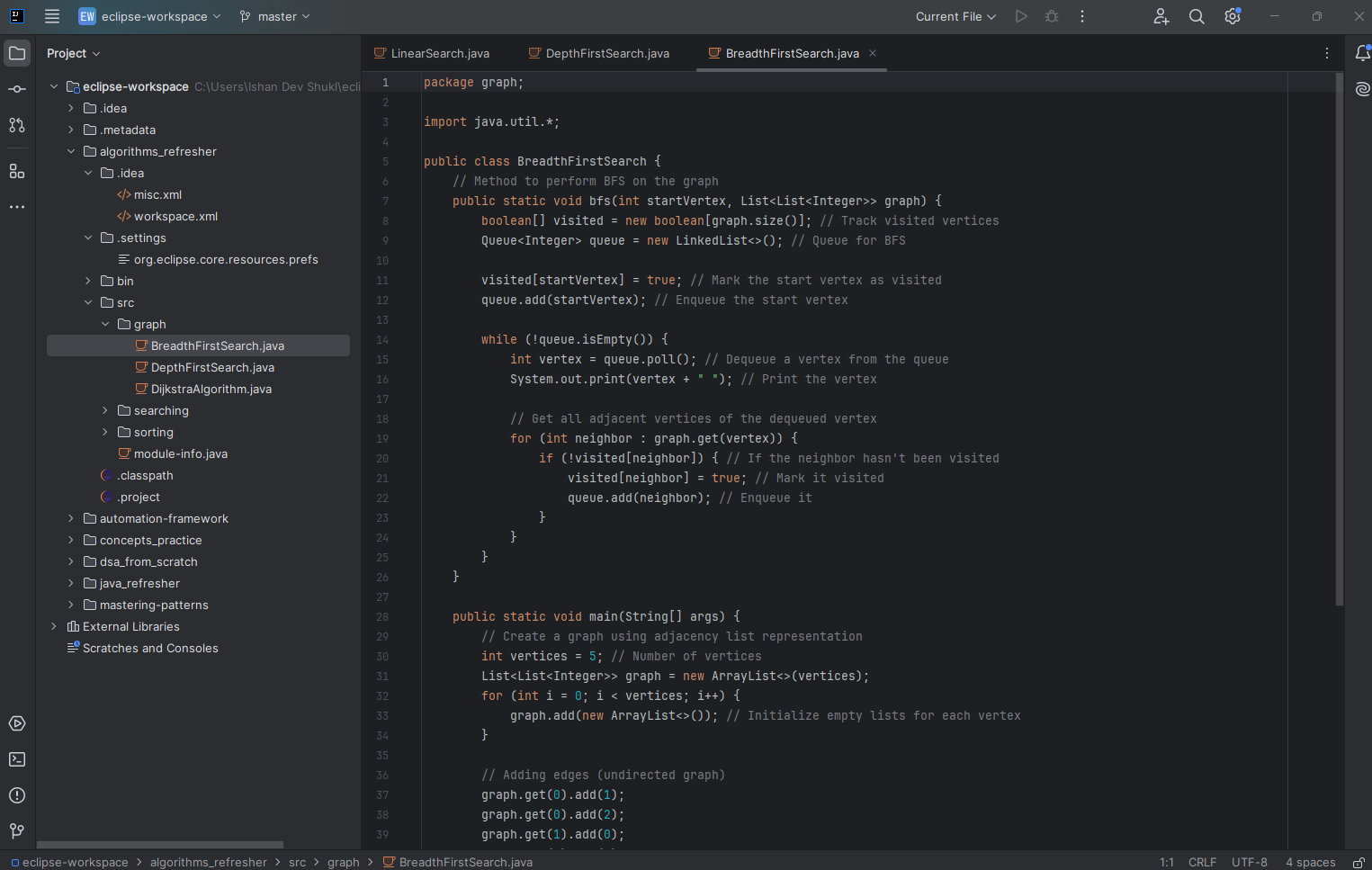
IntelliJ IDEA by JetBrains is known for its sleek interface, speed, and developer-centric features. It’s often considered a “premium” IDE due to its rich features and robust support for various programming languages, including Java. It offers both a free community edition and a paid ultimate edition, which provides even more advanced features. Many developers praise IntelliJ for its intelligent code assistance and user-friendly interface.
Eclipse IDE
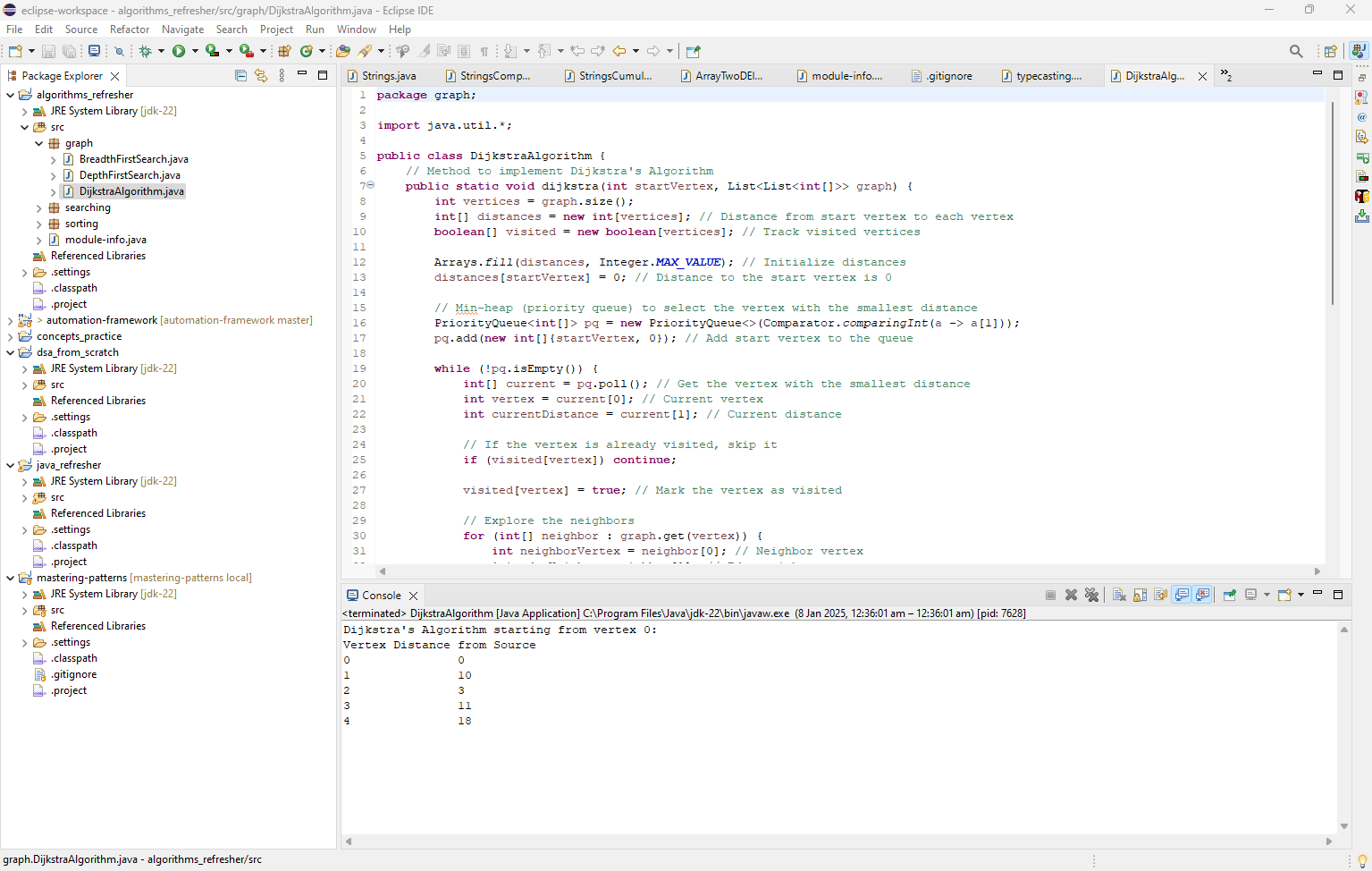
Eclipse is a free, open-source IDE that’s been around for decades. It’s widely used by Java developers for its flexibility, extensive plugin ecosystem, and strong community support. Unlike IntelliJ, Eclipse is completely free, making it a go-to for developers who prefer an open-source environment. It’s highly customizable, but many developers find it a bit more difficult to navigate, especially for newcomers.
Key Features of IntelliJ vs Eclipse 🛠️
Let’s break down the core features of both IDEs to help you make your decision.
| Feature | IntelliJ IDEA | Eclipse IDE |
|---|---|---|
| User Interface | Modern, clean, and intuitive | Can feel clunky and outdated |
| Performance | Fast and responsive, especially with large projects | Can be slower, especially with large workspaces |
| Code Assistance | Excellent autocompletion, refactoring, and error highlighting | Good but not as advanced as IntelliJ |
| Debugging | Powerful debugging tools with visualizations | Robust debugging but can feel less intuitive |
| Support for Java | Best-in-class Java support | Strong Java support, but requires plugins for advanced features |
| Plugin Ecosystem | Good selection, especially for Java | Huge selection of plugins available |
| Version Control | Built-in Git support with advanced features | Excellent Git support, though setup can be tricky |
| Cost | Free Community version, paid Ultimate version | 100% Free and open-source |
| Cross-Platform | Available for Windows, macOS, and Linux | Available for Windows, macOS, and Linux |
| Build Tools | Seamless integration with Maven, Gradle, etc. | Supports Maven, Gradle, but setup can be more complicated |
Deep Dive: Which IDE is Better for Java? 🔍
Let’s explore these IDEs in more detail by focusing on some critical aspects of Java development:
1. User Interface: Clean vs Customizable 💻
IntelliJ IDEA is known for its polished and intuitive user interface. With its sleek design, smart layout, and advanced code navigation, it’s easy to get started without a steep learning curve. The user experience feels seamless, and the auto-completion features can save a lot of time while coding.
On the other hand, Eclipse offers a more traditional, customizable interface. While some users love the ability to tweak nearly every aspect of the IDE, beginners may find the learning curve a bit steep. Eclipse is also known for being somewhat “clunky” and can feel overwhelming due to its vast range of configuration options.
Verdict: If you want a smooth and modern experience, go with IntelliJ IDEA. But, if you like to customize everything, Eclipse might be your go-to.
2. Performance: Speed Matters 🚅
Performance is a major factor when choosing an IDE for large-scale projects. IntelliJ IDEA excels here with its fast startup times and highly optimized memory management. It’s designed to handle large Java projects smoothly without noticeable lag or slowdowns. If you’re working with massive codebases or enterprise-level applications, IntelliJ is often the better choice.
On the flip side, Eclipse can sometimes feel slower, especially with large projects or when you’re running multiple plugins. However, Eclipse is highly configurable, and you can tweak its settings to improve performance.
Verdict: IntelliJ IDEA is faster and more responsive, especially with large-scale projects.
3. Java Support: Intelligence vs Flexibility 🤖
When it comes to Java development, IntelliJ IDEA arguably provides the best experience. It offers intelligent code completion, advanced refactoring tools, and seamless integration with build tools like Maven and Gradle. IntelliJ automatically detects errors and offers quick fixes, making it a huge time-saver.
Eclipse, while still strong in Java support, doesn’t offer the same level of smart assistance. While it has features like code completion and refactoring, they aren’t as advanced or intuitive as IntelliJ’s. However, Eclipse shines in terms of flexibility, as you can easily install plugins for additional functionality.
Verdict: If you’re looking for intelligent code assistance, IntelliJ IDEA is the winner. But if you need flexibility and customizability, Eclipse might be more suitable.
4. Debugging: Visual Tools for Efficient Troubleshooting 🐞
Both IDEs offer robust debugging tools, but IntelliJ IDEA takes it up a notch with its powerful visual debugging interface. You can set breakpoints, view variable values, and step through the code with ease. The flow of control during debugging is very clear, which can save a lot of time when diagnosing problems.
Eclipse has solid debugging capabilities as well, though it can feel a bit more complex to navigate. It lacks some of the polished visualizations you get with IntelliJ. This makes it less intuitive for those who need to debug large or complex applications.
Verdict: For a more user-friendly and visual debugging experience, IntelliJ IDEA wins. Eclipse is still reliable but feels a bit more old-school.
5. Cost: Free vs Premium 💰
One of the main differences between the two IDEs is the cost. Eclipse is completely free. It is open-source, making it a great choice for those on a budget. It is also ideal for those working in open-source environments. It’s also highly customizable, and you can add all the features you need without spending a dime.
On the other hand, IntelliJ IDEA offers a free Community Edition. You will need the Ultimate Edition if you want access to advanced features. These features include support for web development, databases, and advanced tools for enterprise applications. The Ultimate Edition comes with a price tag.
Verdict: If cost is a major factor, Eclipse is the winner, hands down. But if you need advanced features and are willing to pay for them, IntelliJ IDEA offers a premium experience.
Popular Tools and Plugins for Java Development 🧰
Both IntelliJ IDEA and Eclipse support a wide array of tools and plugins that enhance Java development. Here’s a comparison of some popular ones:
| Tool/Plugin | IntelliJ IDEA | Eclipse IDE |
|---|---|---|
| Maven | Built-in integration | Plugin-based integration |
| Gradle | Built-in integration | Plugin-based integration |
| JUnit | Integrated testing support | Integrated testing support |
| Git Integration | Built-in Git support | Built-in Git support |
| Docker | Plugin available for containerization | Plugin available for containerization |
| Spring Framework | Excellent support with Spring Boot | Good support with Spring Boot |
| Database Tools | Supports SQL, Database Browser | Database tools available with plugins |
Conclusion: Which IDE is Best for Java Development? 🏁
Both IntelliJ IDEA and Eclipse have their strengths and weaknesses. Here’s a quick recap:
- Choose IntelliJ IDEA if you want a sleek and modern IDE. It offers intelligent code assistance. The debugging is seamless, and the performance is excellent, especially for larger projects.
- Choose Eclipse if you prefer a free, open-source IDE. It has a massive plugin ecosystem. You can tailor its customizable interface to your needs.
Ultimately, the best IDE comes down to your personal preferences and the specific needs of your Java projects. 🧑💻
FAQs
1. Can I use both IntelliJ IDEA and Eclipse for the same Java project?
Yes, you can use both IDEs for the same project. However, switching between them may require configuring your workspace settings and build tools like Maven or Gradle to ensure compatibility.
2. Is IntelliJ IDEA worth the cost for Java development?
If you’re working on large-scale Java projects or need advanced features, consider IntelliJ IDEA’s paid Ultimate Edition. It is definitely worth the investment. This edition offers enhanced tools, productivity features, and an overall improved experience.
3. Which IDE is better for beginners learning Java?
For beginners, IntelliJ IDEA is generally recommended. This is because it has an intuitive interface. It also provides intelligent code suggestions and built-in features that help reduce the learning curve.
4. Is Eclipse still relevant for Java development in 2025?
Absolutely! Eclipse remains a powerful and widely-used IDE for Java development. It is especially popular with developers who prefer open-source tools. It is also widely used in large, enterprise environments.
5. How do IntelliJ and Eclipse compare for performance with large projects?
IntelliJ generally performs better with large projects due to its optimized code indexing. It offers faster response times. Eclipse can feel slower, especially when using multiple plugins or managing large codebases.
Choosing the right IDE is a personal decision. With this comprehensive guide, you now have the knowledge to make the best choice for your Java projects! Happy coding!
🔥 Level Up Your SDET Skills 🔥
Monthly Drop : Real-world automation • Advanced interview strategies • Members-only resources

