GitHub Copilot Custom Agents for Automation Testing | Playwright AI Agents in VS Code

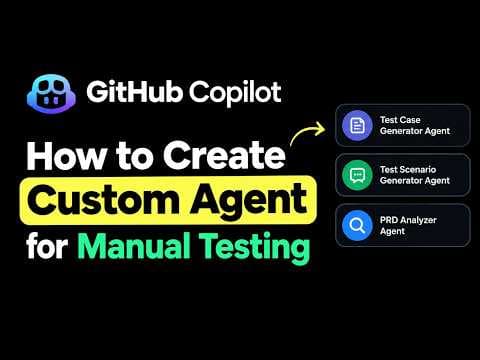
In this video, we will learn how to create **Custom AI Agents in GitHub Copilot using VS Code** and use them for real-world software testing activities. In our previous video, we explored how to use custom agents for manual testing. In this video, we move to **automation testing** and create AI agents that can help QA engineers and automation testers work more efficiently. Instead of using AI only to generate sample code, we will configure custom agents with specific instructions so they can understand our requirements, inspect our existing project, and assist us with practical testing tasks. 🚀 **What You Will Learn in This Video** ✅ Introduction to the VS Code Agents window ✅ Understanding the project selection dropdown ✅ Workspace-level agents vs. User-level custom agents ✅ Why User-level agents can be reused across multiple projects ✅ How to create a Playwright Automation Script Generator ✅ How to configure the agent name, description, argument hint, and instructions ✅ How to instruct an agent to inspect an existing Playwright project before making changes ✅ How to add an invalid login automation scenario while following the existing framework structure ✅ How to create a Playwright Failure Analyzer ✅ How to instruct an agent to locate available test execution results and investigate failed tests ✅ How the Failure Analyzer can examine error messages, source code, reports, screenshots, traces, and logs when available ✅ How to identify possible root causes and recommend appropriate fixes without immediately modifying files ✅ How to reuse custom agents across different automation projects ✅ How to use AI agents for both automation testing and manual testing 🤖 **Custom Agents Covered** **1. Playwright Automation Script Generator** This agent helps QA engineers implement new automation scenarios based on testing requirements while following the existing project's framework structure, coding conventions, locators, page objects, and testing practices. **2. Playwright Failure Analyzer** This agent helps investigate the latest available Playwright test results, identify failed tests, analyze possible root causes, and recommend fixes using available execution evidence. It can also help determine whether tests need to be executed to obtain fresh results. **3. Manual Test Case Generator** We also connect this topic to our previous video, where we explored using a custom agent to analyze a Product Requirements Document (PRD) and generate structured manual test scenarios and detailed test cases, including CSV output. 💡 **Why Should Testers Learn Custom AI Agents?** Custom agents allow us to define reusable instructions for specific tasks rather than explaining the same process repeatedly. They can assist with understanding existing frameworks, generating automation scripts, investigating failures, and preparing manual test cases. However, AI-generated changes and recommendations must always be reviewed. Test execution results, reports, and other evidence should be verified before concluding that a test has passed or identifying a root cause. 📌 **Who Should Watch This Video?** - Manual Testers exploring AI tools - Automation Test Engineers - QA Engineers and Test Leads - Playwright with TypeScript learners - Software Testers interested in GitHub Copilot - Beginners exploring AI Agents and AI-assisted testing If you are learning Playwright, AI Agents, GitHub Copilot, and modern testing practices, subscribe to **Script and Execute** for more practical tutorials. 👍 If you find this video useful, please like, share, and subscribe to support the channel. #GitHubCopilot #AutomationTesting #Playwright #AIAgents #CustomAgents #SoftwareTesting #QAAutomation #VSC ode #TypeScript #ManualTesting #AITesting #QAEngineer
Join the discussion
Sign in to join the discussion
Sign in