How to Automate Drag and Drop in Playwright | 3 Practical Examples

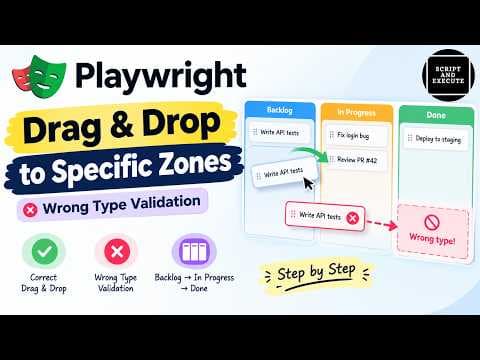
In this video, we are going to learn how to automate Drag and Drop operations using Playwright with practical examples. We will use QA Playground and explore three different drag-and-drop scenarios step by step. What you will learn in this video: Basic Drag and Drop Identify source and target elements. Use Playwright's dragTo() method. Validate the initial state and the successful drop. Drag Cards into Matching Zones Work with multiple draggable elements and drop zones. Identify individual elements using locators. Validate the result after each drag-and-drop operation. Understand toHaveText() and toContainText(). Reorder Items in a Sortable List Use locator chaining. Identify individual list items. Drag and reorder items using dragTo(). Validate the updated list order using toContainText() with an array. This is a practical, beginner-friendly Playwright tutorial with real examples and assertions. Practice website: https://qaplayground.com/practice/drag-drop If you are learning Playwright automation or preparing for automation testing interviews, this video will help you understand drag-and-drop operations with practical examples. Subscribe to Script and Execute for more Playwright tutorials, JavaScript interview programs, and real-world automation scenarios. Happy Learning! 😊 #Playwright #PlaywrightAutomation #DragAndDrop #AutomationTesting #SoftwareTesting #PlaywrightTutorial #QAPlayground #WebAutomation #ScriptAndExecute

Join the discussion
Have something to add?
Sign in to reply, follow this thread, and earn XP when your answer helps someone.