Newsletter
One email. Every week. Pure signal.
The week in quality engineering — skip an issue, and you'll wish you hadn't.
20K+ engineers already reading
How to Evaluate AI Testing Tools: A Scorecard for QA Teams

Oct 6, 2026
To evaluate AI testing tools, first identify the problem you are solving (test generation, self-healing automation, visual AI, autonomous agents or test analytics), then score candidates on accuracy on your own application, transparency, integration, maintainability, data security, cost at scale and team fit. Run a two-week proof of concept on a real feature against a measured baseline before buying.
Every AI testing tool demo looks the same: a messy test suite, a click, and suddenly everything heals itself and new tests write themselves. Then the pilot starts, and the questions the demo skipped arrive. Why did it “heal” a test into checking the wrong button? Who reviews the generated tests? What happens to our data? What does it cost at our scale?
This guide gives QA teams a vendor-neutral way to evaluate AI testing tools: the main categories, a scorecard you can reuse, and a two-week proof of concept that answers the questions demos do not.
What are AI testing tools?
AI testing tools use machine learning or large language models to automate parts of testing that used to need a person: writing tests, maintaining locators, spotting visual changes, analysing failures, or exploring an application on their own. Most products combine several of these capabilities.
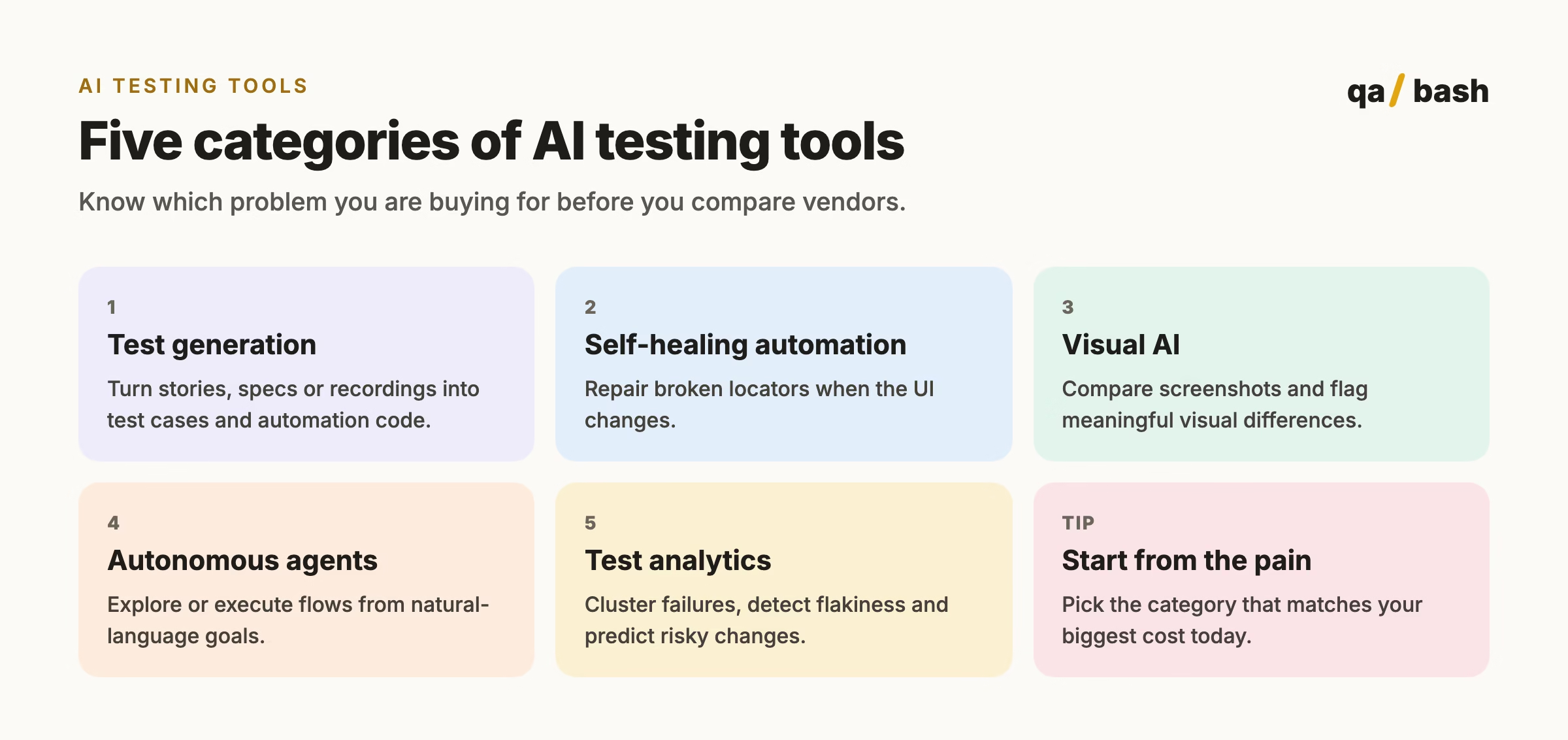
Which problem are you solving?
| Your biggest pain | Category to evaluate | What success looks like |
|---|---|---|
| Slow test design | Test generation | Review time per story falls; accepted cases stay high quality |
| Tests break on every UI change | Self-healing automation | Fewer maintenance hours with no hidden false passes |
| Visual regressions reach users | Visual AI | Real layout bugs caught, few false alarms |
| Not enough coverage of flows | Autonomous agents | New defects found in flows nobody scripted |
| Hours lost to red builds | Test analytics | Faster triage, flaky tests identified and fixed |
Self-healing tests: how they work and where they go wrong
Self-healing tools store several attributes for each element (id, text, position, neighbours, accessibility role). When the primary locator fails, they pick the most similar element and continue. That saves real maintenance time, but it has one serious failure mode: healing onto the wrong element and reporting a pass.
- Require a log of every heal, with before and after, reviewed like a code change.
- Turn heals into proper locator fixes in the codebase instead of letting them pile up.
- Never allow healing on assertions, only on navigation steps.
- Prefer stable test IDs and accessible roles so there is less to heal in the first place.
An evaluation scorecard for AI testing tools
Score each tool from 1 to 5 on these criteria, weighting them for your team. The weights below are a sensible default.
| Criterion | Weight | Questions to ask |
|---|---|---|
| Accuracy on your app | 25% | How often is its output right on your real application, not the demo app? |
| Transparency | 15% | Can you see why it healed, generated or flagged something? |
| Integration | 15% | Does it fit your CI, repo, test framework and issue tracker? |
| Maintainability | 10% | Is output plain code you own, or locked into the vendor’s format? |
| Data and security | 15% | Where does your data go, is it used for training, what certifications exist? |
| Cost at your scale | 10% | Price per user, run or test at next year’s volume, not today’s. |
| Team fit | 10% | Can your current team use it without a specialist? |
Weight vendor lock-in heavily. A tool that produces standard Playwright or Selenium code you keep is far easier to leave than one that stores tests only on its platform.
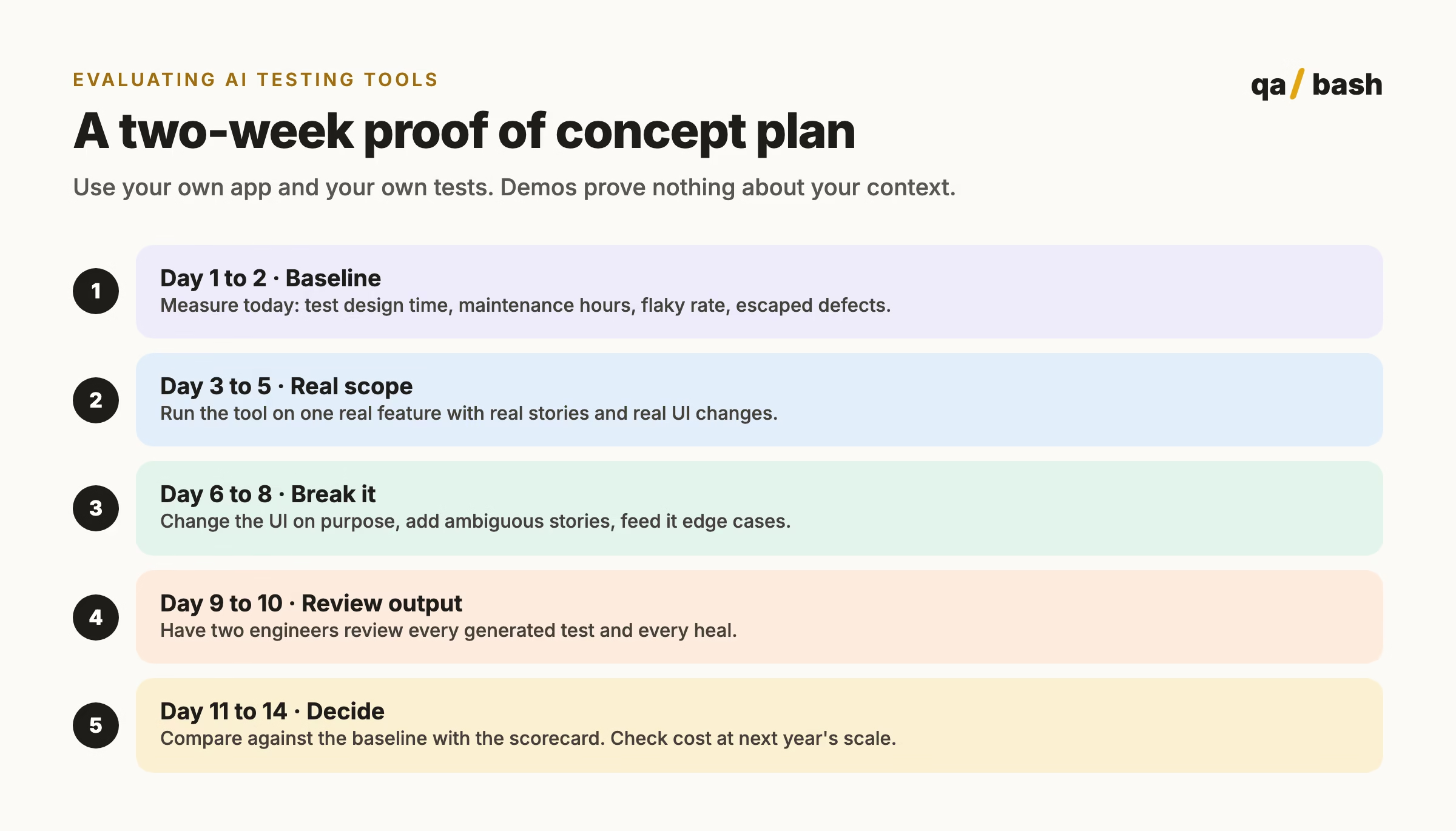
A two-week proof of concept
Red flags during evaluation
- The vendor will not run a pilot on your application.
- No way to export tests as standard code.
- Heals and generations you cannot inspect.
- Unclear answers about whether your data trains their models.
- Pricing that grows sharply with test runs or parallel sessions.
- Success claims measured only on their own demo apps.
Build, buy or combine?
You do not always need a platform. Many teams get most of the value from general-purpose AI assistants and open-source tools combined with their existing framework: an LLM for drafting tests, Playwright’s built-in tooling for locators and traces, and a small script for failure clustering. Buy a platform when it clearly beats that combination on your scorecard.
Try a few free tools before you commit: QA Bash’s AI Test Case Generator and Locator Engine are a quick way to see where AI helps your workflow. For the generation side in depth, read AI test case generation: benefits, risks and workflow.
Rate this article
9.6/10 average · 20 ratings
Discussion
Start the conversation
What do you think about this article? Share your experience, ask a question, or add to the discussion.

He’s a builder of communities, a collector of questions, and a relentless challenger of assumptions. While others chase answers, he chases better questions. While others talk about the future of testing, he quietly helps create it.
Frequently asked questions.
What are AI testing tools?
Tools that use machine learning or large language models to automate testing work such as writing tests, maintaining locators, comparing visuals, exploring applications and analysing failures.
How do self-healing tests work?
The tool records several attributes for each element. When a locator breaks, it chooses the most similar element and continues, logging the change. Heals should be reviewed because they can land on the wrong element.
Related articles
LLM Testing: How QA Teams Test Large Language Model Applications
LLM testing checks that AI features give correct, safe and consistent answers. This guide explains the test…
4 min
Claude Code Commands: 100 Worth Knowing and the 20 I Use Daily
This Claude Code commands guide lists 100 verified slash commands, CLI flags and shortcuts, and explains the…
10 min