Newsletter
One email. Every week. Pure signal.
The week in quality engineering — skip an issue, and you'll wish you hadn't.
20K+ engineers already reading
Components of AI Agents: A Tester’s Guide to Perception, Memory, Planning and Action

Oct 8, 2026
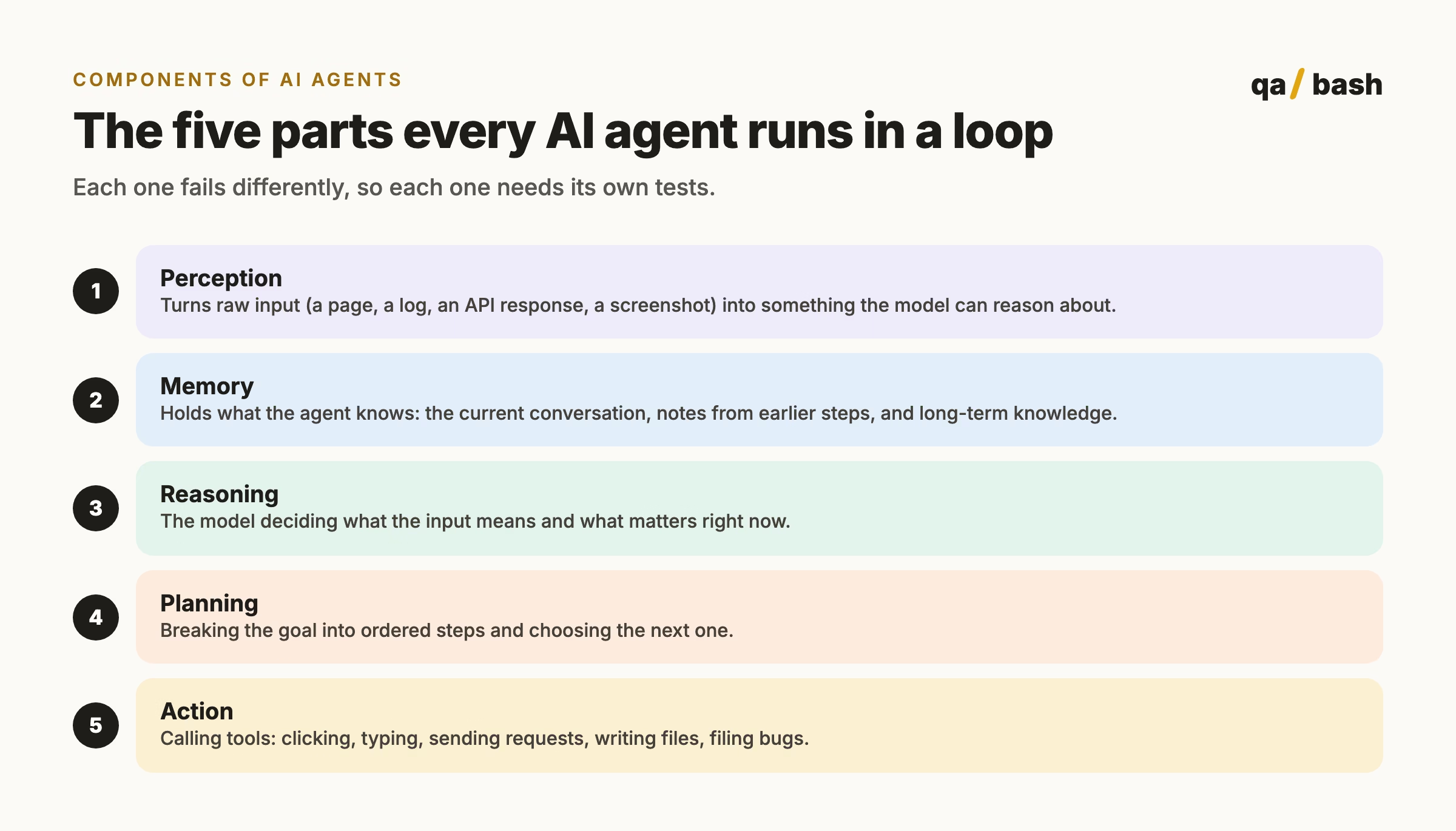
AI agents are built from five components that run in a loop: perception (turning raw input such as pages, logs or API responses into model context), memory (short-term context and long-term stored knowledge), reasoning (the model interpreting and deciding), planning (ordering the steps toward a goal) and action (calling tools to click, send requests or write files). Each component fails differently, so testers should log and test every boundary separately.
When an AI agent gets something wrong, “the model hallucinated” is rarely the full story. An agent is a system of parts, and each part fails in its own way. The perception layer misread the page. Memory held a stale value. The plan skipped a step. The tool call succeeded but returned an error the agent ignored.
Testers who know the components of AI agents can point at the broken part instead of blaming the whole thing. This guide breaks an agent into its five core components, explains what each one does, and shows how to test it.
What are the components of an AI agent?
Almost every AI agent, from a coding assistant to a browser-driving test agent, is built from five components that run in a loop:
| Component | What it does | Typical failure | How to test it |
|---|---|---|---|
| Perception | Converts input into model context | Misses an element, misreads a value, truncates a long log | Golden inputs with known correct extractions |
| Memory | Stores and recalls context | Forgets an earlier constraint, recalls stale data, overflows context | Multi-step scenarios that depend on early facts |
| Reasoning | Interprets and decides | Wrong conclusion from correct input | Fixed inputs with expected decisions, scored over many runs |
| Planning | Orders the steps | Skips a step, wrong order, never stops | Assert on the plan before it runs |
| Action | Uses tools | Wrong tool, wrong arguments, ignores tool errors | Mock tools and assert on calls; inject failures |
1. Perception: how the agent sees
Perception is everything that happens between the outside world and the model’s context window. For a browser agent, it might be the accessibility tree or a screenshot. For a CI triage agent, it is the parsed test log. For an API agent, it is the response body.
Perception is where many bugs hide, because the model can only reason about what it was given. If the page summary drops a disabled button or the log parser cuts off the stack trace, the smartest model will still make the wrong call.
- Build a set of golden inputs: pages, logs and responses with a known correct extraction.
- Test edge cases: very long pages, hidden elements, iframes, non-English text, binary or truncated responses.
- Log exactly what the model received, not just what the app showed. Most “model errors” turn out to be perception errors when you read that log.
2. Memory: what the agent remembers
Agents work with two kinds of memory. Short-term memory is the current context window: the conversation, recent tool results and notes. Long-term memory lives outside the model, usually in files, a database or a vector store, and is retrieved when needed.
| Short-term memory | Long-term memory | |
|---|---|---|
| Where it lives | The model’s context window | Files, databases, vector stores |
| Lifetime | One task or session | Across sessions |
| Typical content | Current steps, tool results | Project rules, past defects, user preferences |
| Common failure | Overflows or gets summarised away | Stale or wrong record retrieved |
- Write scenarios where step eight depends on a fact from step one, and check the agent still uses it.
- Fill the context window deliberately and check that important constraints survive summarisation.
- Change a stored fact and confirm the agent uses the new value, not a cached old one.
3. Reasoning: how the agent decides
Reasoning is the model itself interpreting the situation: is this failure a real regression? Is this element the login button? Is the task finished? It is also the most non-deterministic part, so single test runs prove very little.
- Use fixed inputs with an expected decision, and run each one several times. Track the pass rate, not a single pass or fail.
- Include ambiguous cases where the right answer is “I am not sure”, and reward the agent for saying so.
- Rerun the whole set when you change the model or the prompt. Reasoning quality can shift between model versions in either direction.
4. Planning: how the agent sequences work
Planning turns a goal like “verify checkout with a coupon” into ordered steps. Some agents plan everything up front; others plan one step at a time. Either way, the plan is the best place to catch a bad run before it starts.
- Make the agent write its plan out, and assert on it: required steps present, correct order, a clear stopping condition.
- Test goals that cannot be completed. A good planner stops and reports; a bad one loops.
- Set hard limits on steps and time so a broken plan fails fast and cheaply.
How planning is organised is mostly an architecture question. Our guide to AI agent architectures for test automation compares the main patterns.
5. Action: how the agent changes things
Actions are tool calls: a click, an HTTP request, a shell command, a file write, a Jira ticket. This is where an agent stops being a chatbot and starts affecting real systems, so it deserves the strictest tests.
- Mock tools in unit tests and assert on the exact calls and arguments.
- Inject tool failures (timeouts, 500s, permission errors) and check the agent notices instead of reporting success.
- Run against sandboxes only, and require human approval before destructive or external actions.
- Keep the tool list short. Agents choose wrong tools more often as the list grows.
A practical checklist for testing AI agents by component
- Log every component boundary: what perception produced, what memory returned, the plan, every tool call and result.
- Keep a fixed evaluation set per component, not just end-to-end scenarios.
- Score non-deterministic parts by pass rate over several runs.
- Rerun everything when the model, prompt or tools change.
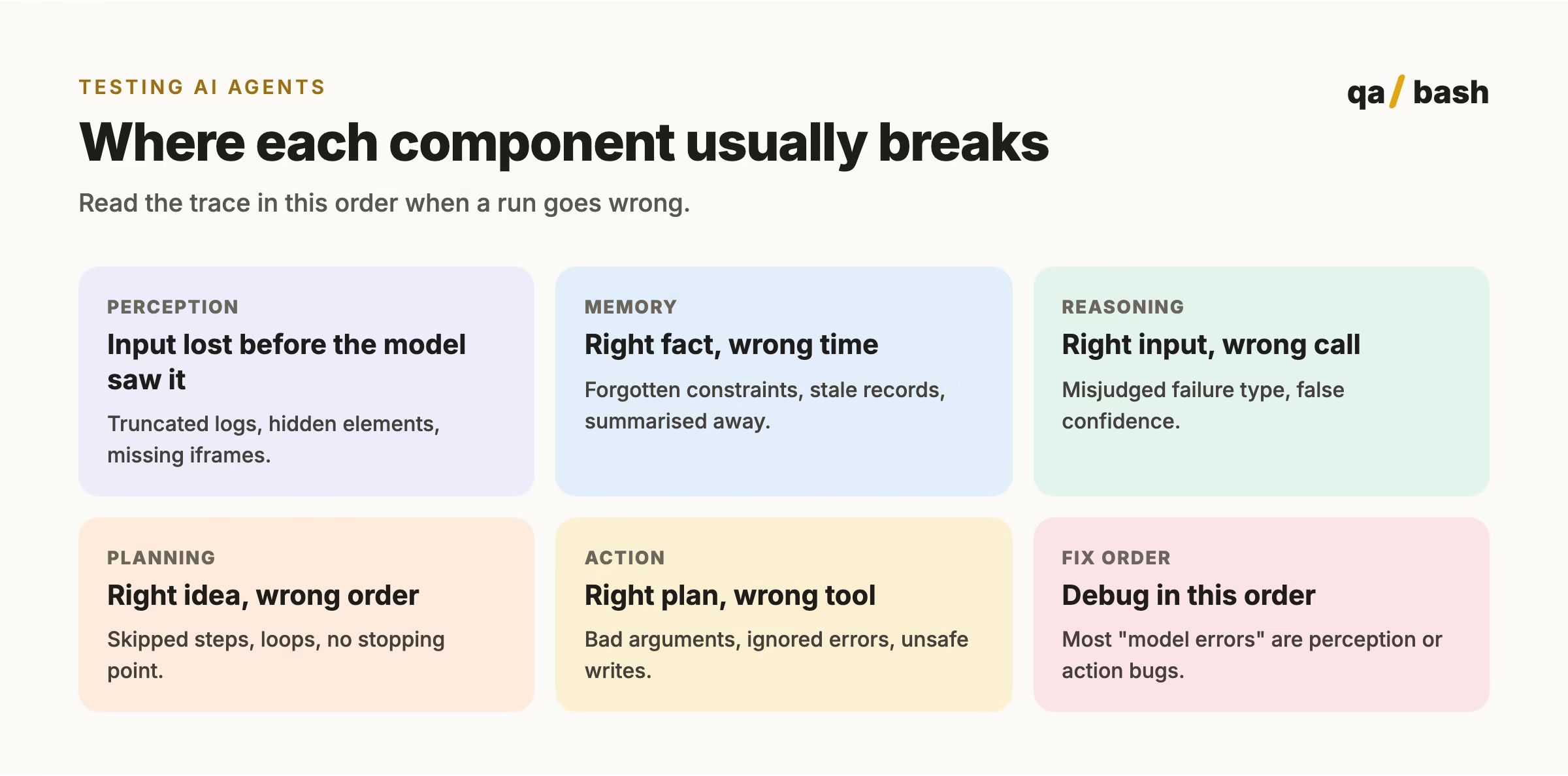
- Debug in order: perception, memory, action, planning, then reasoning.
For the bigger picture of agents in QA, read AI agents explained: architecture, tool use and QA implications, and if your agent relies on retrieval, see the RAG testing framework.
Rate this article
8.8/10 average · 20 ratings
Discussion
Start the conversation
What do you think about this article? Share your experience, ask a question, or add to the discussion.

He’s a builder of communities, a collector of questions, and a relentless challenger of assumptions. While others chase answers, he chases better questions. While others talk about the future of testing, he quietly helps create it.
Frequently asked questions.
What are the main components of an AI agent?
Perception, memory, reasoning, planning and action. Perception prepares the input, memory holds context, reasoning interprets it, planning orders the steps, and action calls tools to change things.
What is the difference between short-term and long-term memory in AI agents?
Short-term memory is the model's context window for the current task. Long-term memory is stored outside the model in files, databases or vector stores and retrieved across sessions.
Related articles
Prompt Testing for QA Engineers: How to Build a Prompt Regression Suite
Prompt testing catches regressions when prompts or models change. Learn which assertions to write, how to…
3 min
RAG Testing Framework: How to Test Retrieval-Augmented Generation Systems
This RAG testing framework explains how to test retrieval and generation separately, which metrics to track,…
4 min