Playwright in Action #2 | Validate Table Values Using Filter & Map | Specific Table Cells

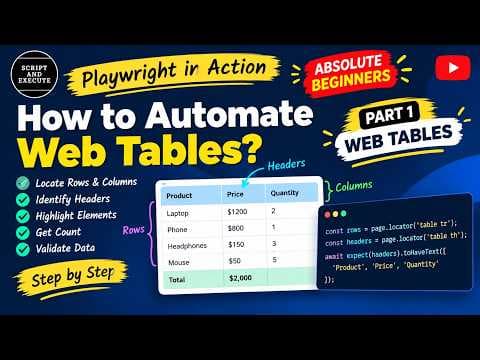
Welcome back to Playwright in Action – Part 2!🚀 In this episode, we're continuing our hands-on journey with web tables in Playwright. This time, we'll go beyond locating rows and columns and learn how to validate specific cell values and perform data validation. Using a practical table example, we'll verify a specific product's price and calculate the sum of all prices to compare it against the expected total. 📌 What you'll learn in this video: ✅ How to locate a specific table row using Playwright's `filter()` method ✅ How to locate a particular cell within a row using `locator()` and `nth()` ✅ How to validate a specific product price using `toHaveText()` ✅ How to extract price values from a table column ✅ How to use JavaScript's `map()` method to process extracted values ✅ How to convert string values into numbers using `Number()` ✅ How to calculate the total of all prices ✅ How to compare the calculated total with the expected value using Playwright assertions 🎯 **Practical scenarios covered:** - Validate whether the Apple price is 180. - Extract all the prices from a table. - Convert the extracted string values into numbers. - Calculate the sum of all prices. - Validate the calculated total against the expected total. This tutorial is suitable for beginners learning Playwright with JavaScript, automation testers strengthening their skills, and testers preparing for practical automation interviews. 📺 **Watch Part 1:** Learn how to locate table rows, columns, and headers, count elements, and validate table headers. 💬 **What should we automate next?** Would you like to learn about frames, JavaScript dialogs, dropdowns, calendars, or multiple tabs? Share your suggestions in the comments! If you find this video helpful, please like, share, and subscribe to **Script and Execute** for more practical automation tutorials. Happy learning, and happy testing! #Playwright #PlaywrightAutomation #AutomationTesting #WebTables #JavaScript



Join the discussion
Sign in to join the discussion
Sign in